Flutter's A2UI 1.0 and a2ui_flutter: what changed from genui, and when generated UI is worth it
Flutter's 17 November 2026 announcement of A2UI 1.0 and a2ui_flutter, formerly genui: the five additions, the renamed architecture, the agent SDKs, what the partner numbers do and do not show, and when generated UI is worth it.
On 17 November 2026 the Flutter team announced A2UI 1.0 and a2ui_flutter, the Flutter package formerly called genui. It lets an AI agent respond with interactive Flutter widgets instead of text. This guide sets out what the Flutter team's announcement says changed, what the examples in it do and do not show, and when its own advice is to keep ordinary screens. Everything below is the Flutter team's account, including the numbers, unless we say otherwise. We did not build or test anything with the package.
When to generate UI, per the Flutter team
The announcement starts with a rule of thumb: generative UI is not meant to replace an app's deterministic screens. Standard forms, lists and navigation tabs are fast and predictable, and if a static form already handles a workflow cleanly, the post says sticking with it is a great option. Generated UI is for cases where the right interface depends on reasoning over open-ended context. The post's example is a catering demo app: asked whether a menu works for a host with a shellfish allergy, the agent shows only recipes without shellfish and offers to change the menu.
What changed in 1.0
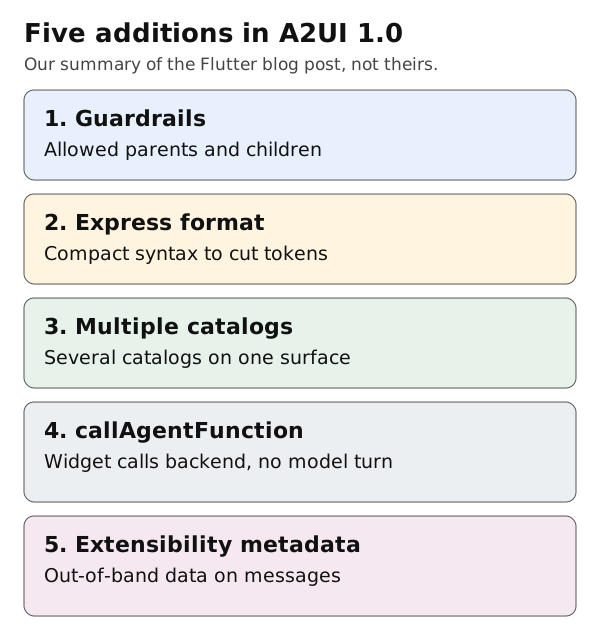
Original summary by Omnistu from the Flutter blog post. Not the Flutter team's figure.
The package name now matches the protocol. The post says six concepts from earlier genui releases were consolidated: Transport is removed, so you can use your own streaming or HTTP setup, and a single MessageProcessor replaces SurfaceController plus Conversation. It handles catalogs, validates incoming messages and manages surface state. The post names five additions:
- Guardrails.
allowedParentsandallowedChildrenin the catalog schema state which components may nest inside which. They are in the schema given to the model and are also enforced on the client before widgets are built. An invalid layout returns anUNALLOWED_PARENTorUNALLOWED_CHILDerror to the agent instead of crashing the app. - Express inference format. A compact, function-call style syntax for the same component tree, to cut tokens. The post says it described five components in 46% fewer characters than minified JSON. A partner, Solid Software, reports that switching to it cut full-screen dashboard generation in its healthcare prototype from 10 seconds to 5.
- Multiple catalogs per surface. In 0.9 a surface used one catalog. In 1.0 you pass a list of catalogs to
MessageProcessor, so a core team can keep shared components while domain teams publish their own. callAgentFunction. A rendered widget can call a deterministic function on the agent backend directly, without a new language model turn. The post's example is a portfolio app from Somnio Software where a stepper in an order ticket updates weights, fees and cash "in under a second".- Extensibility metadata. Structured out-of-band data, such as routing flags or correlation tokens, can ride alongside messages on surfaces, components, catalogs and actions.
The agent side
a2ui_flutter renders the UI. The post says an agent SDK teaches the model your catalog, compiles its output into A2UI messages and validates them first. It lists three: Dart (a2ui_agent, new), Python (a2ui-agent-sdk, plus a2ui-adk for Google ADK and a2ui-a2a for the A2A protocol) and TypeScript (@a2ui/agent for Node.js). A Genkit Dart middleware, genkit_a2ui, is described as in preview.
What the announcement does not show
- Independent testing. The 46% figure and the 10 to 5 seconds result come from the Flutter team and a partner, on their own examples. The post does not say how they were measured or whether they carry over to your catalog.
- Cost and latency at scale. Nothing in the post prices a generated screen against a static one.
- Migration effort. The post lists the renamed and removed concepts but not a step-by-step upgrade from genui.
- Safety beyond layout. The guardrails check nesting. The post's healthcare example keeps the agent from changing underlying data by letting it only choose widgets, which is a design choice by that team, not something the package enforces for you.
A short checklist, our suggestion
- Pick one workflow where the right screen depends on open-ended context, and keep your standard screens for everything else, as the Flutter team advises.
- If you use
callAgentFunction, put calculations that must be exact on the backend, not in model output. - Write allowed parents and children for every component you expose.
- Measure generation time and tokens on your own catalog before you decide on Express.
This guide was prepared with AI assistance and reviewed on 19 November 2026.
Sources
- Flutter Blog, "Announcing A2UI 1.0 and a2ui_flutter" (17 November 2026): https://flutter.dev/blog/a2ui-launch