Search Analytics API update: branded queries, multimodal search and multi-value filters
Google documents branded classification, web multimodal reporting and multi-country/device lists in the Search Analytics API. Check eligibility, filter combinations and top-row limits before changing a reporting script. No API request tested.
On 16 November 2026 the Google Search Central Blog announced that three Search Console Performance report features now work in the Search Analytics API: the branded queries filter, web multimodal reporting, and multi-country and multi-device filtering. This guide explains each option, the limits listed in Google's API reference, and what to check before you change a reporting script. Everything below comes from those two Google pages. We did not call the API or test any request.
The three additions
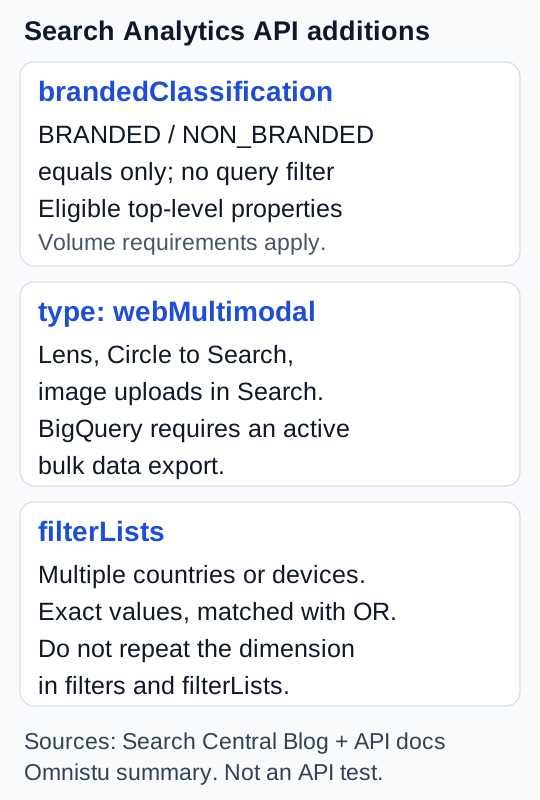
Original summary by Omnistu from Google's announcement and API reference.
Branded queries. Group or filter by brandedClassification to compare branded and non-branded performance. The announcement says that, as in Search Console, this is only available for eligible properties. For other properties the response has no rows. The reference adds details: only the equals operator is supported, the values are BRANDED and NON_BRANDED, and filtering or grouping by it cannot be combined with a query filter in the same request. It says data starts on 21 February 2026 and applies only to top-level properties with enough query and impression volume.
Web multimodal. Set type to webMultimodal for performance data from Google Lens, Circle to Search on Android and image uploads in Google Search. Google says this data will also be available in BigQuery for properties with an active bulk data export.
Multi-country and multi-device filters. The new filterLists field filters by several countries or devices in one request. Google's examples of country groups are EMEA, LATAM and DACH. Per the reference, each filter list names one dimension (country or device) and a list of exact values. Countries use three-letter ISO 3166-1 alpha-3 codes, and devices are DESKTOP, MOBILE and TABLET. A row matches if its value equals any listed value. In the reference, filterLists sits inside each entry of dimensionFilterGroups. A single request cannot filter on the same dimension in both filters and filterLists.
What this changes in a reporting script
An illustrative partial request shape, written by us and not run, for non-branded mobile traffic in three countries. It omits the required date range, property URL and authorization:
type:web- a
dimensionFilterGroupsentry with afilterListsitem forcountrywithDEU,AUT,CHE, and a second item fordevicewithMOBILE - a
filtersentry forbrandedClassificationequalsNON_BRANDED
Before you rely on a shape like this, check the reference for supported combinations. Two points from it matter: you cannot combine the branded filter with a query filter, and rowLimit goes up to 25,000 with startRow for paging.
Things to check:
- If a dashboard uses a long list of brand-name regular expressions, branded classification may replace it, but only if your property is eligible. Compare both on one property before you switch.
- Old scripts that issue one request per country can be merged, but filtered totals should be checked against the old output.
- Multimodal reporting has its own
typevalue. Query it explicitly rather than assuming an existingwebdashboard breaks it out.
What the sources do not say
These two pages do not state a numeric eligibility threshold for branded data or define how Google classifies every query. They also do not explain how every multimodal impression or click is counted, or state a per-list value limit for the new filterLists field. The reference shows the general response structure, not a worked response for this combination of new options. Follow its help links for definitions and current limits.
The reference warns that internal Search Console limits mean the API returns top rows rather than guaranteeing every data row. Paging with startRow is therefore not a promise of a complete search-traffic export. For an ineligible property, no branded rows should not be interpreted as proof that it has no branded traffic. We have not checked whether any particular property is eligible.
Sources
- Google Search Central Blog, 16 November 2026: https://developers.google.com/search/blog/2026/11/search-analytics-api-update
- Search Analytics API query reference: https://developers.google.com/webmaster-tools/v1/searchanalytics/query
Drafted with AI assistance from these two sources. Check the reference and test with your own property before relying on any detail.